Digital STNK Cannot Be Screen-Captured, Designed to Simplify Data Verification

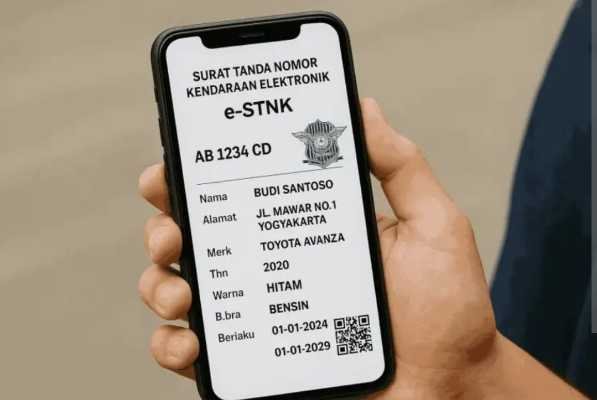
Digital STNK.
progresifjaya.co.id, JAKARTA – Motor vehicle owners can now utilize the Digital STNK (Vehicle Registration Certificate) integrated into the Digital Korlantas app for roadside inspections. This electronic document holds the same legal validity as the official physical document.
Motorists no longer need to worry about forgetting to carry physical paperwork while traveling. During traffic checks, they can simply open the electronic document directly within the mobile app.
However, the Korlantas Polri emphasizes that screenshots cannot serve as a substitute for the actual STNK. The app’s system automatically disables this function to prevent the misuse of vehicle data.
“I repeat, it cannot be captured via screenshot. If it could be captured, it would spread everywhere. It cannot be captured, only the registered owner can use it, as it resides within their mobile app—in digital form,” stated Brigjen Pol Komarudin, Director of Registration and Identification (Dirregident) at Korlantas Polri.
During inspections, officers in the field will scan the barcode displayed within the app. Data validation is performed by cross-referencing the information with the owner’s National Identity Number (NIK) and the vehicle’s registration records.
Tests on the app show that the mobile screen automatically goes black when a user attempts to take a screenshot. Any image saved to the phone’s gallery appears as a plain black screen.
This digital format is designed to facilitate more precise vehicle data verification. Beyond its convenience, the system effectively minimizes the risk of physical documents being damaged or lost while on the road.
The public can activate their electronic vehicle documents independently by following these simple steps:
- Download and open the Digital Korlantas app on your mobile phone.
- Log in using your verified Digital ID.
- Select the ‘STNK’ option located under the Digital ID menu.
- Enter the Motor Vehicle Registration Number (NRKB) or license plate number.
- Enter the last 5 digits of the vehicle’s chassis number.
- Review the process until the confirmation “Digitalization Process Successful” appears.
Once the entire process is complete, the digital document will automatically become active and accessible at any time on the application’s main page. (Bembo)